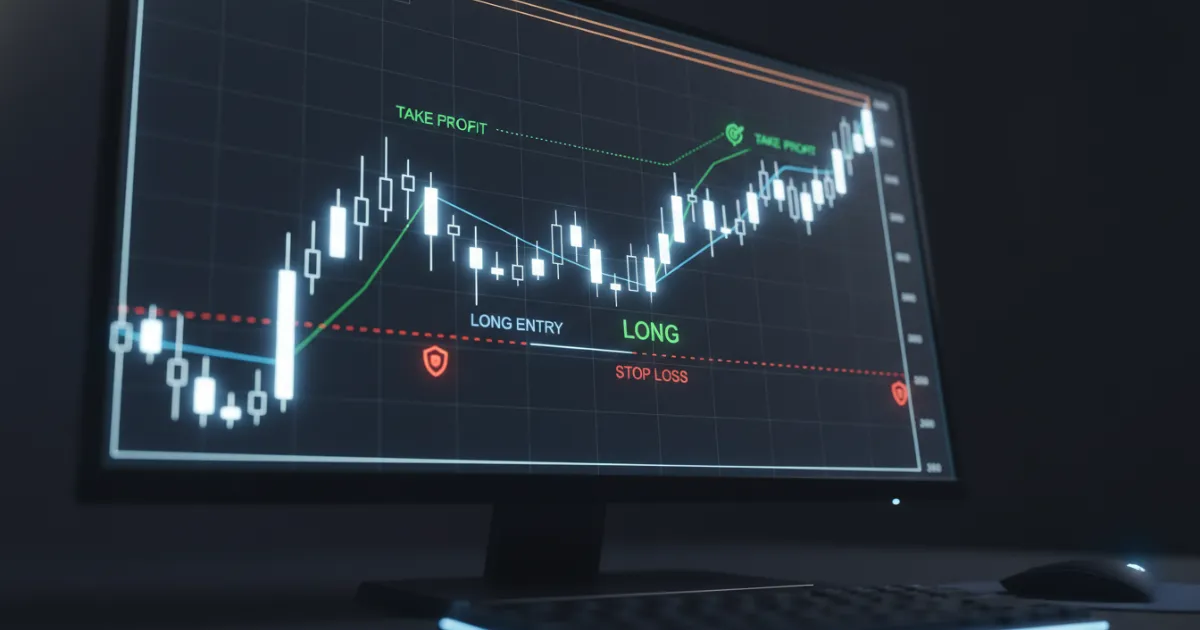
How to Set a Stop Loss
To set a stop loss, start with the price that proves your trade wrong, then size the trade around that distance. A stop order tells your broker to send a market order once the stop price is hit, and the SEC's Investor.gov glossary notes that sell stops sit below the current market price while buy stops sit above it. Stop placement comes first, then size. Get that order right and one bad trade stays small. Reverse it and you've built the trade backward before you click buy.
Key Takeaways
- A stop loss belongs at the price that proves the trade idea wrong, not at an arbitrary dollar amount.
- Stop distance should determine position size, because the size controls how much money the trade can lose.
- Market structure and volatility produce better stop locations than copying the same percentage on every trade.
- Regular stop orders fill in fast markets where stop-limit orders may not.
How to Set a Stop Loss
Set a stop loss by finding the price that invalidates your trade, placing the stop beyond that level, and then reducing or increasing size so the dollar risk fits your rules. The SEC's Investor.gov glossary covers the mechanics of stop orders, and Charles Schwab points out that many traders choose the stop by using a percentage or point distance below the current price.
Start With the Price That Invalidates the Trade
A long trade needs a stop at the point where buyers failed. If you buy a breakout above resistance and price falls back through the breakout level, the setup changed. If you buy a pullback in an uptrend and price breaks the swing low that defined the setup, the setup changed there too.
The stop sits at the level that proves the setup wrong. The size of the loss you can stomach has nothing to do with where that level sits on the chart.
Size the Position After the Stop
Position size comes after stop placement. If your account risk per trade is $100 and the stop belongs $2 away from entry, you can take 50 stocks. If the stop belongs $0.50 away, you can take 200 stocks. Stop distance controls position size, and position size controls dollar risk per trade.
For the math, read the Tradicted guide on position size and the piece on risk-to-reward ratio. The position size calculator runs the same arithmetic from your stop distance and account risk. Traders who set size before stop distance end up with random risk per trade. The same setup can produce a $50 loss on one trade and a $400 loss on the next, even with identical entry and exit logic.
Where Should You Place Your Stop Loss?
Place your stop loss at a price level where the trade idea fails, then give that level enough room to handle normal noise. Charles Schwab frames stop placement around a chosen distance below current price, but distance alone misses the point. Good placement starts with structure on the chart. The volatility buffer comes after that.
Use Support, Resistance, and Swing Levels
Support and resistance give you the cleanest starting point for most stock trades. If you need a refresher on that chart logic, Tradicted already covers support and resistance levels. A long trade often belongs with the stop below support, below the prior swing low, or below the low of the pullback candle that defined the entry. A short trade flips that logic and uses resistance or a prior swing high.
New traders often park the stop right on the level. Price tags the level, trades through it for a moment, then snaps back, and the trade closes for a loss before the move resumes. Put the stop a bit beyond the level so normal price movement doesn't trigger the exit, but keep the buffer small enough that the loss still fits your plan.
Chart structure also needs context from the time frame you trade. A stop under a five minute swing low means one thing. A stop under a daily swing low means something else, and you'll need to shrink size to match the wider distance.
Add a Volatility Buffer With ATR
ATR, short for Average True Range, helps you judge how much price tends to move during a bar or session. Traders use it to avoid placing stops inside normal movement where price chops them out without proving the setup wrong. If a stock moves $1.20 in a normal daily range, a 20 cent stop under a major level rarely gives the trade enough room on a swing time frame.
ATR gives context for stop distance. The level itself comes from chart structure.
Should You Use a Stop Order or a Stop-Limit Order?
Use a regular stop order when exiting the trade matters more than controlling the exact fill price, and use a stop-limit order only when you accept the risk of no fill. FINRA warned firms and investors that a stop order becomes a market order once triggered, which means fast markets can produce executions far from the stop price. Charles Schwab makes the tradeoff clear: a stop order prioritizes execution, while a stop-limit order adds a price limit that can block the exit.
| Order type | Trigger behavior | Main benefit | Main risk |
|---|---|---|---|
| Stop order | Trigger sends a market order after the stop price hits, according to Investor.gov. | Higher chance of getting out. | Fill price can slip in a fast move, as FINRA notes. |
| Stop-limit order | Trigger sends a limit order after the stop price hits, as described by Charles Schwab. | More control over the worst acceptable price. | Order may not fill and the position can keep moving against you. |
When a Regular Stop Order Makes More Sense
A regular stop order fits most traders who care more about getting flat than haggling over a few cents. That matters most in thin stocks, gap risk, and hard reversals near the open on the NYSE or NASDAQ. The stop may fill worse than expected, but the trade ends. Most beginners need that outcome more than they need price perfection.
A stop order isn't a guarantee. Brokers can fill stops far past the stop price in fast moves, and FINRA issued the notice because traders were getting fills well below their stop prices during volatile sessions.
When a Stop-Limit Order Can Backfire
A stop-limit order can work when you trade liquid names and you refuse to sell below a certain price. The problem shows up when price gaps through your stop and never trades back to your limit. Your order sits there. Your loss grows while the position keeps moving against you.
I treat stop-limit orders with caution on pure risk exits because price control matters less than getting flat. A missed exit usually costs more than a few cents of slippage on a regular stop.
What Stop Loss Mistakes Cost Traders Money?
The expensive mistakes are moving the stop to avoid a loss and placing the stop at a crowded level. FINRA reminds traders that order behavior in volatile markets can punish bad assumptions about execution. An ordinary daily range can take out a poorly placed stop and produce a real loss before any setup logic gets tested.
Moving the Stop to Avoid Taking a Loss
Moving the stop farther away after entry changes the trade. You planned one loss and accepted a larger one because price pressured you. That habit wrecks expectancy, hides bad entries, and trains you to negotiate with your own rules after the trade starts.
A bad entry can be fixed by taking the planned loss and moving on. Widening the stop replaces the original risk with a larger one that you didn't agree to before the trade started.
Placing Stops at Obvious Levels
Many traders place stops at the same crowded levels. They put a stop a few cents under yesterday's low, under a round number, or right beneath a support line that everyone can see. Price often probes those spots, prints the stop-out, then runs in the original direction.
You don't fix that by making every stop huge. You fix it by using structure first, then adding enough space for the stock's normal movement. Calm, tight-range stocks need a smaller buffer. Fast, wide-range stocks need more room.
A Simple Stop Loss Workflow You Can Repeat
Use the same workflow on every trade: mark the invalidation level, place the stop, calculate size, check the reward side, then place the order. Repetition matters because inconsistency hides mistakes.
Pre-Trade Checklist
Before you enter, write down:
- Entry price.
- Stop price.
- Dollar risk on the trade.
- Position size.
- First target or exit plan.
- The chart level that proves the setup failed.
That list keeps you honest. If the stop looks wide after you do the math, cut size or pass on the trade. Don't drag the stop closer to force the trade into your account.
Post-Trade Review Notes
After the trade closes, review whether the stop sat in the right place, whether the size matched the distance, and whether price hit the stop for a valid reason. A trading journal helps you spot the pattern fast. Some traders keep getting stopped because they read the chart poorly. Others read the chart fine and park the stop where everyone else parks it.
Write the entry, stop, target, size, and exit notes before the memory gets soft, then compare the plan with what you did after the close.